🎧 Downloading Twitter Spaces
Overview
Twitter Spaces (X spaces?) are a great "town-hall" platform, but it can be hard to re-listen to an event. Playback controls are iffy and in general, a downloaded copy of a recording offers much more flexibility.
Unfortunately, Twitter does not natively support downloading a recorded space.
Fortunately, yt-dlp (formerly youtube-dl) and ffmpeg exist!
Prerequisites
- you have
yt-dlpinstalled - you have
ffmpeginstalled - you have a link to a Twitter spaces replay.
On a Mac, yt-dlp and ffmpeg can be installed using homebrew with the
following command:
Find the Recording URL
For this walkthrough I will be using a replay from a Twitter Space hosted by Pieces for Developers titled "AI for Developer Productivity" which you should 100% listen to.
The URL for the replay is here: https://twitter.com/i/spaces/1ZkKzjkVwzLKv
Plug for Pieces here. Seriously, it's already completely overhauled my workflow and you should check it out!
Chrome Dev Tools
Link in hand (or in clipboard) open a Chrome web browser and then open the Developer Tools
panel. This can be done by either clicking the three dots menu in the upper right corner of the
Chrome window > More Tools > Developer Tools or by using the hotkey ⌘⌥I (Command +
Option + I).
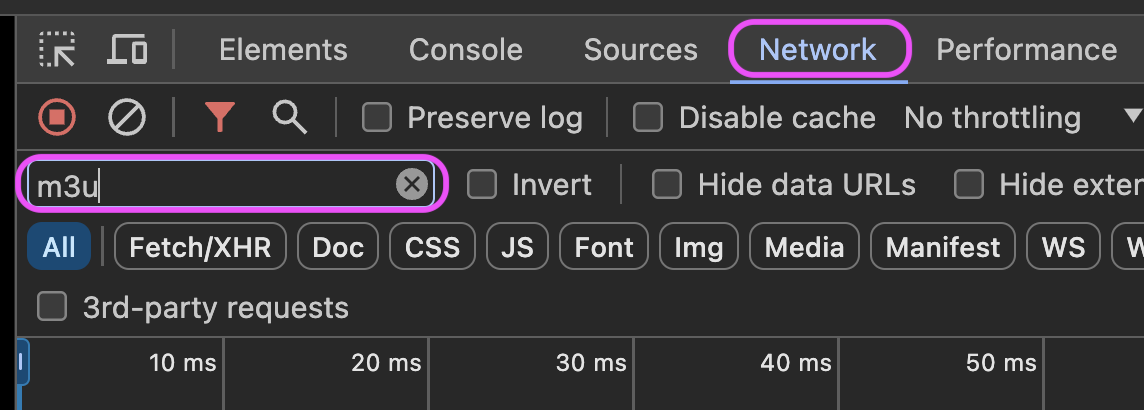
In the Developer Tools panel, navigate to the Network tab and enter m3u into the filter box.
Paste in the spaces replay link from above into the address bar and hit enter.
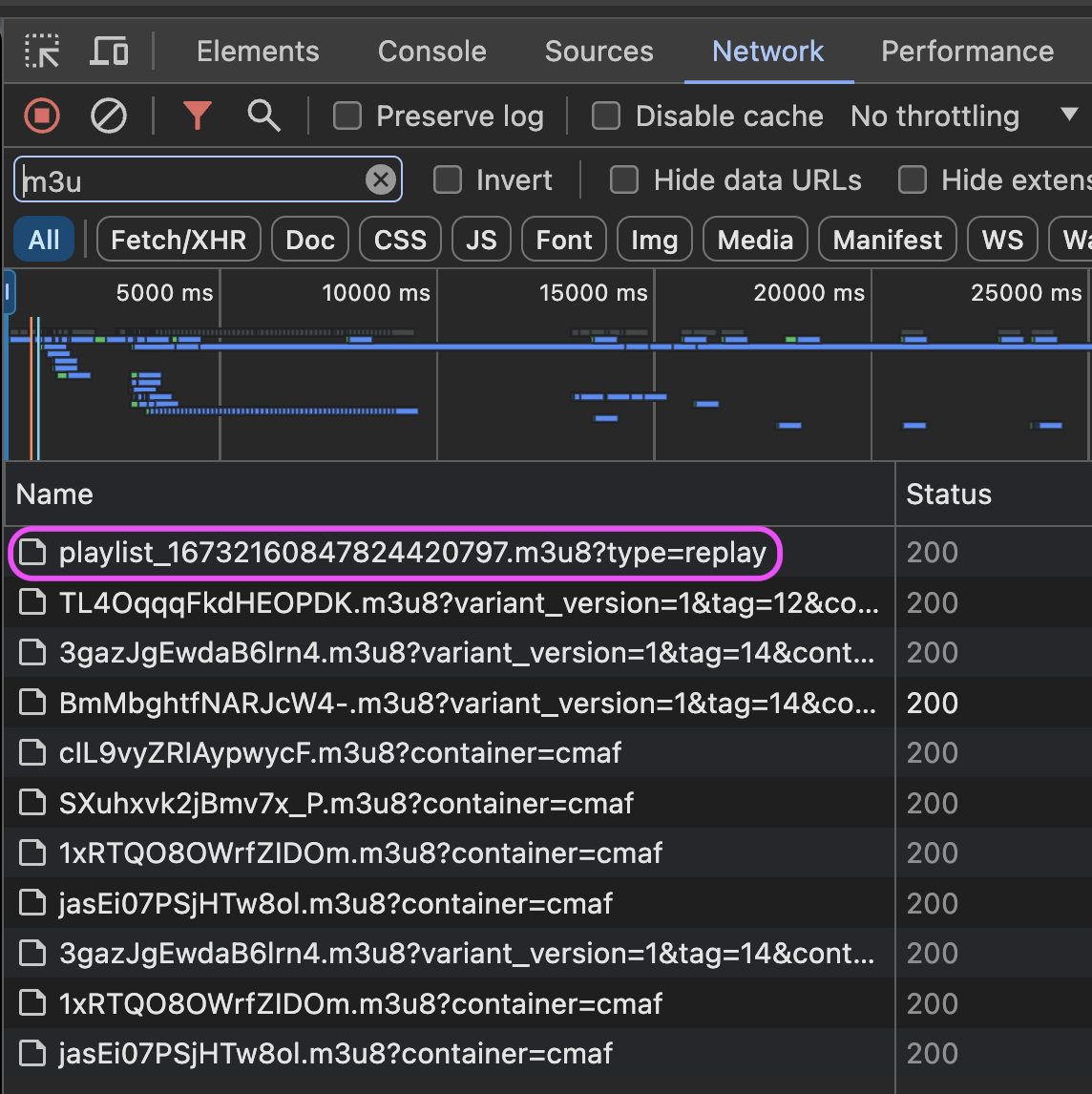
Watch the filtered content in the Network tab. You are looking for an entry similar to:
The key element is the type=replay suffix.
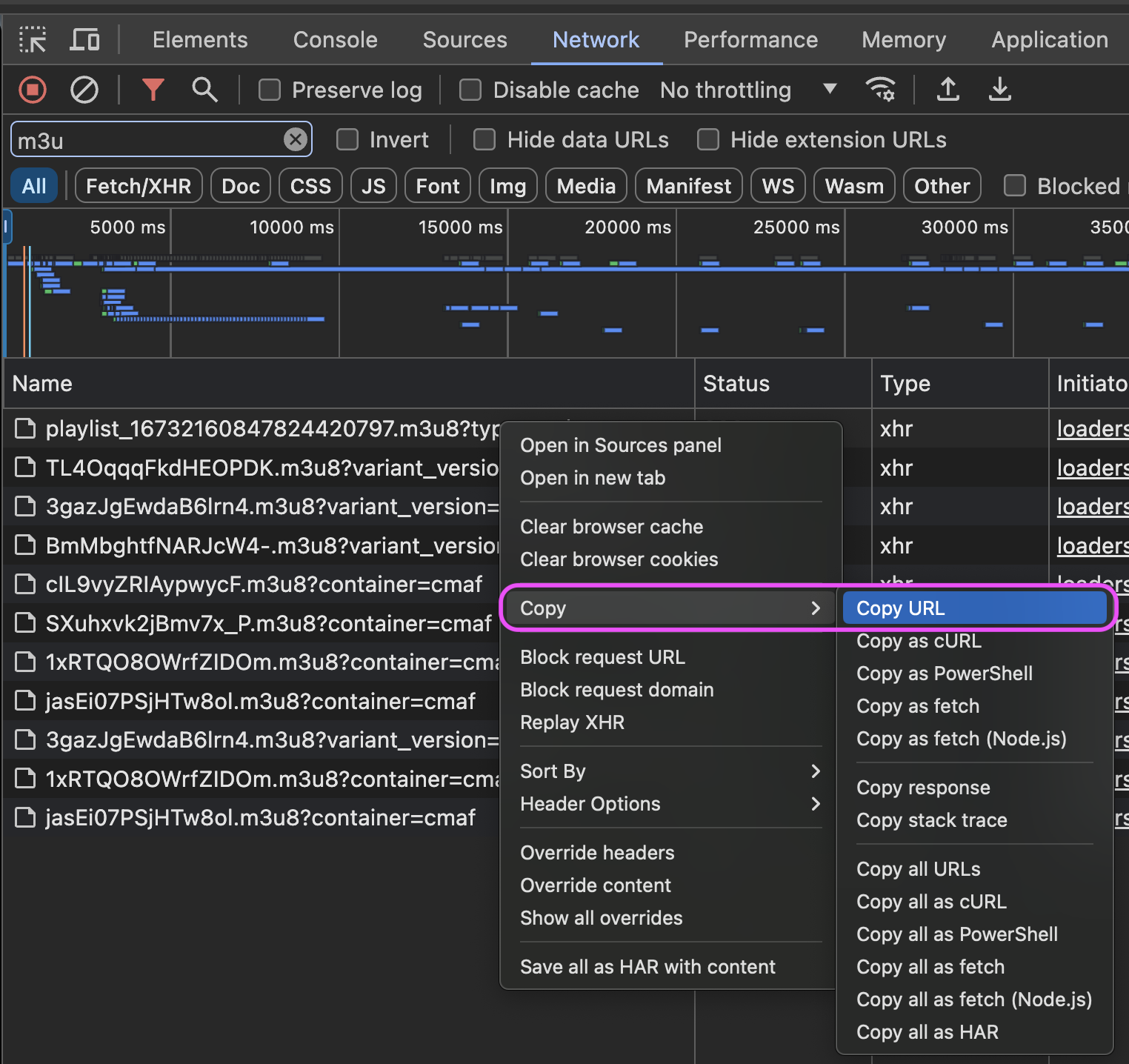
Right click on this entry and select Copy > Copy URL from the menu.
Download the Recording
In a terminal window, navigate to the location you would like to store the recording. For me that is
just the Downloads folder for now.
Use yt-dlp to download the spaces recording with this command:
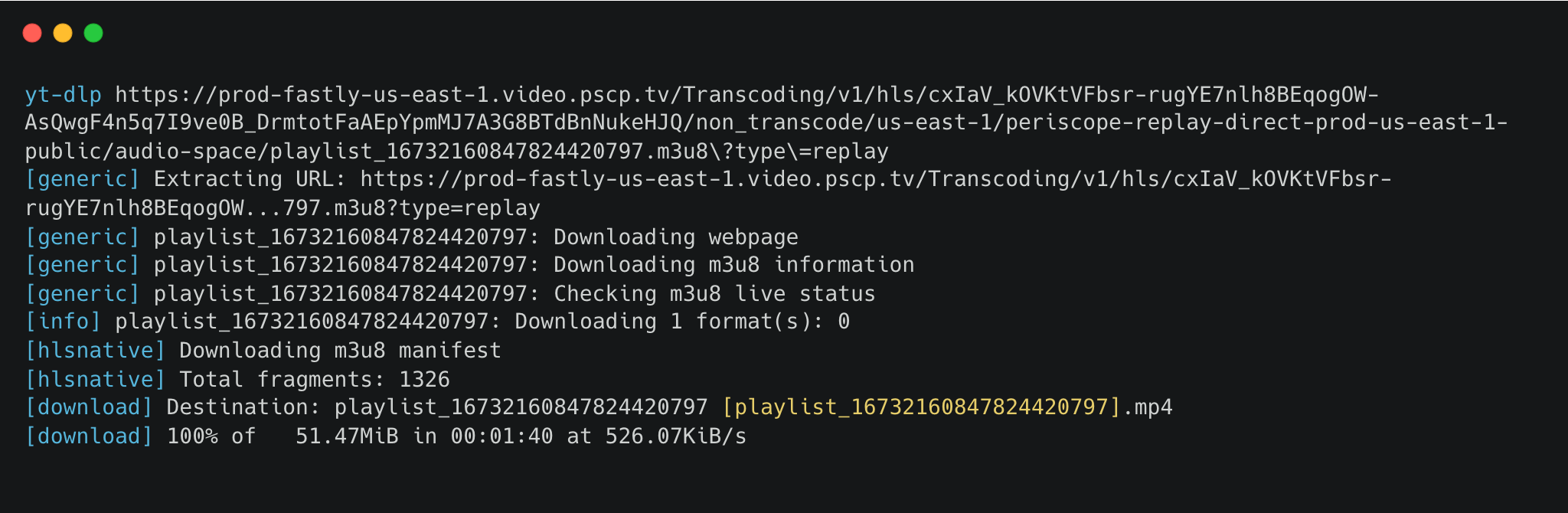
Assuming this is working correctly, you will be shown a progress display in the terminal window.
Once complete, you can open the mp4 file in any media player you choose.